Billing, seats & credits
For the account owner. Everything here happens on Billing
(https://<your-site>/client_billing). Only the owner sees this page.
Seat Per user / month (India) Per user / month (outside India) Analyst ₹1,200 $12.98 Viewer ₹1,000 $10.98 SigzenAI licence ₹1,200 $12.98 INR prices + 18% GST; the US$ rate card carries no GST. You pay only for the seats you choose — there is no platform fee on top. Self-serve card/UPI checkout is in ₹ (INR); US$ is invoiced.
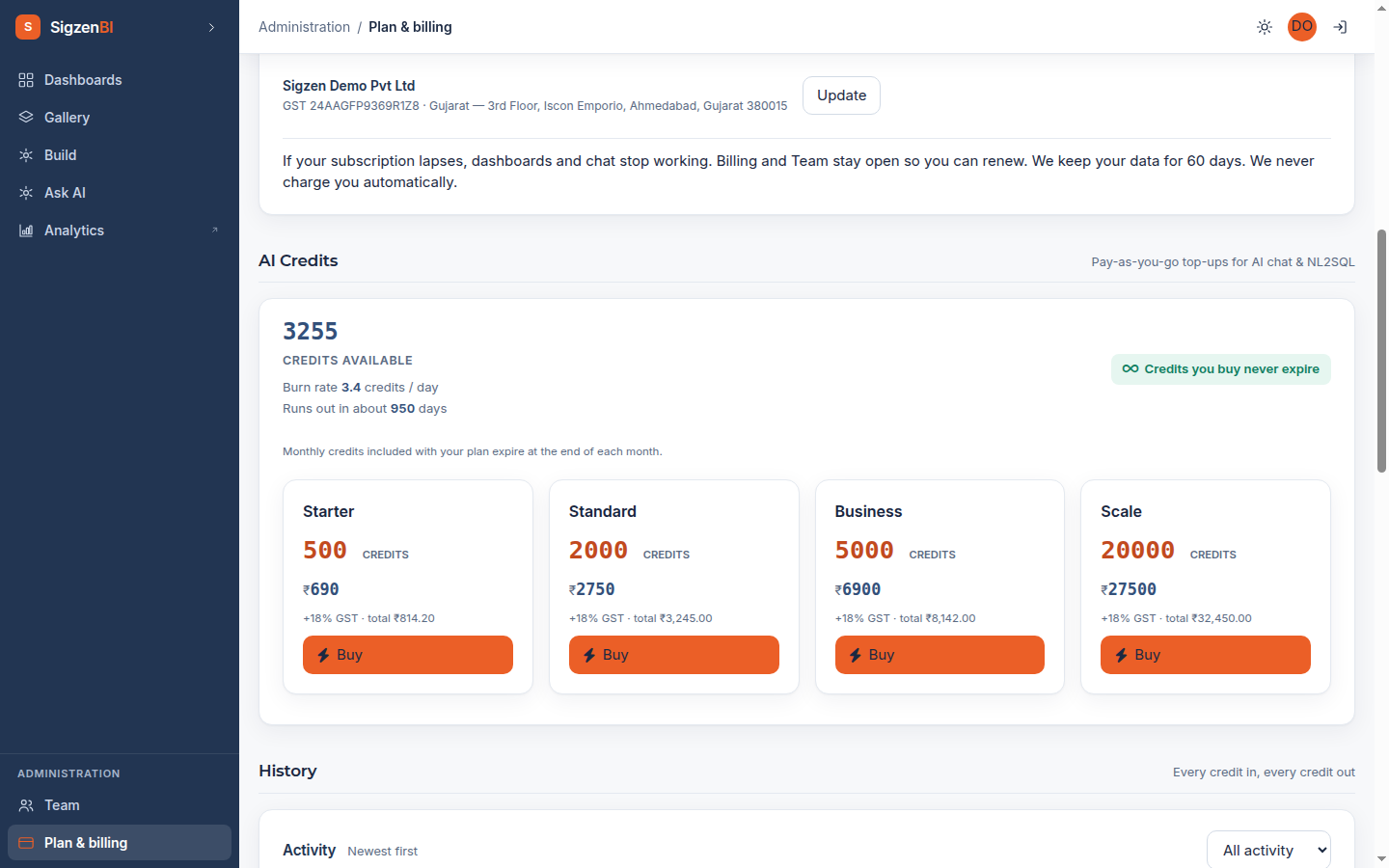
Credit packs (one-time, prepaid): 500 credits ₹690 / $8 · 2,000 ₹2,750 / $31 · 5,000 ₹6,900 / $79 · 20,000 ₹27,500 / $312 — INR prices + 18% GST, with the exact total shown before you pay.
The trial
Every account starts with a 14-day free trial and 125 included question credits (25 for building dashboards from chat, 100 for conversational questions). No card is taken at signup. At day 14, dashboards and chat pause behind a subscribe screen — Team and Billing stay open so you can subscribe and pick up exactly where you left off. Nothing is deleted at trial expiry.
Subscribing and paying
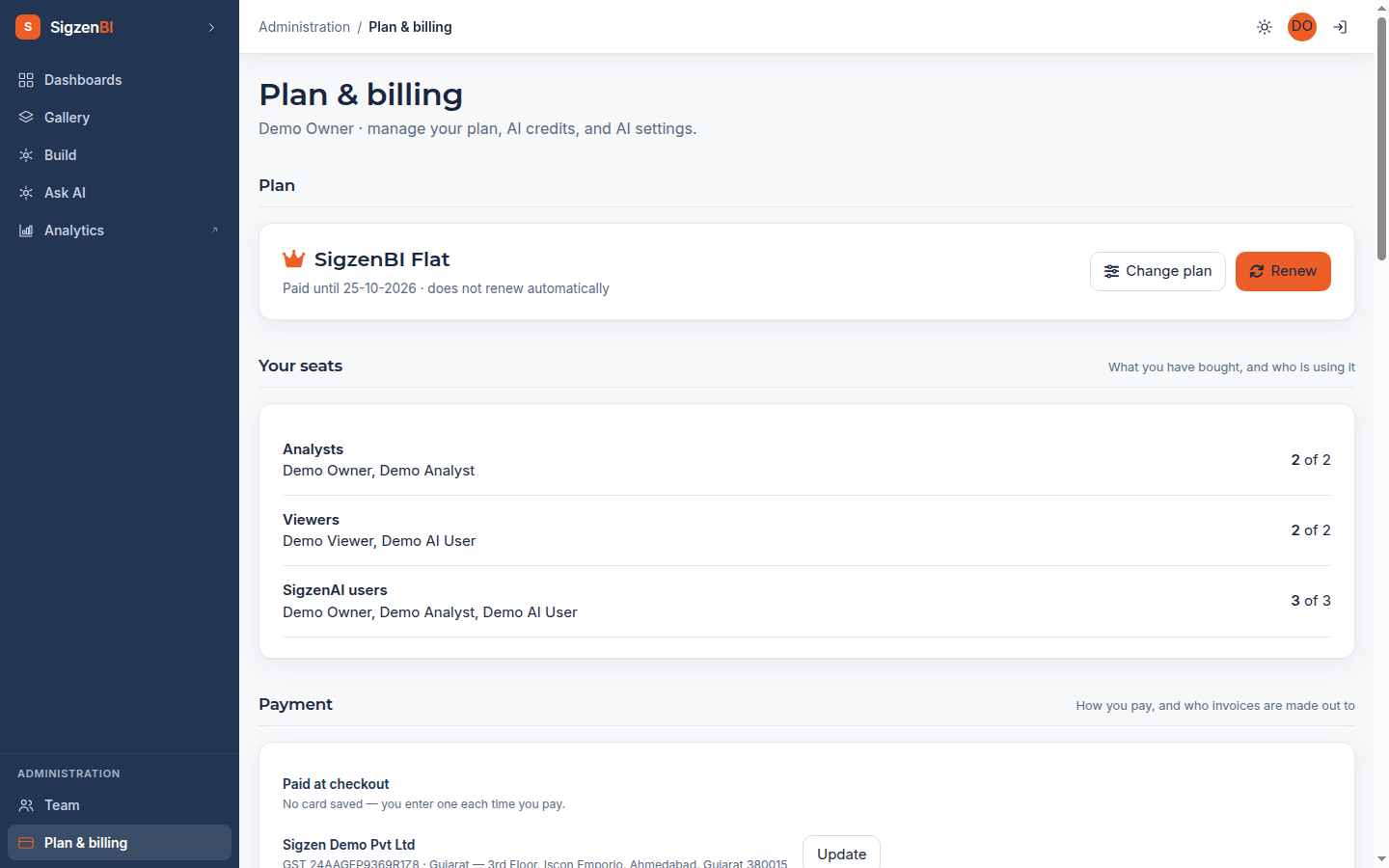
- On Billing, choose how many Analyst, Viewer and SigzenAI seats you need. The page shows the full quote including GST before you commit. You can't buy fewer seats than you currently have assigned — free up seats on the Team page first.
- Pay by card or UPI through Razorpay's secure checkout. Your card details are entered on Razorpay's own form and never touch SigzenBI's servers. You can save a card for faster renewal.
- Your plan activates within moments of payment — the page tells you when it's done.
Nothing renews automatically. Before your month ends you confirm the renewal yourself (one click with a saved card). If you don't renew, see "If your subscription lapses" below.
Credits
Questions in chat spend credits. Two kinds:
- Included monthly credits come with your plan and expire at the end of each month.
- Purchased pack credits never expire.
The balance chip shows your total; the activity ledger on Billing shows every credit spent — by which chat window and by which person.
Invoices & GST
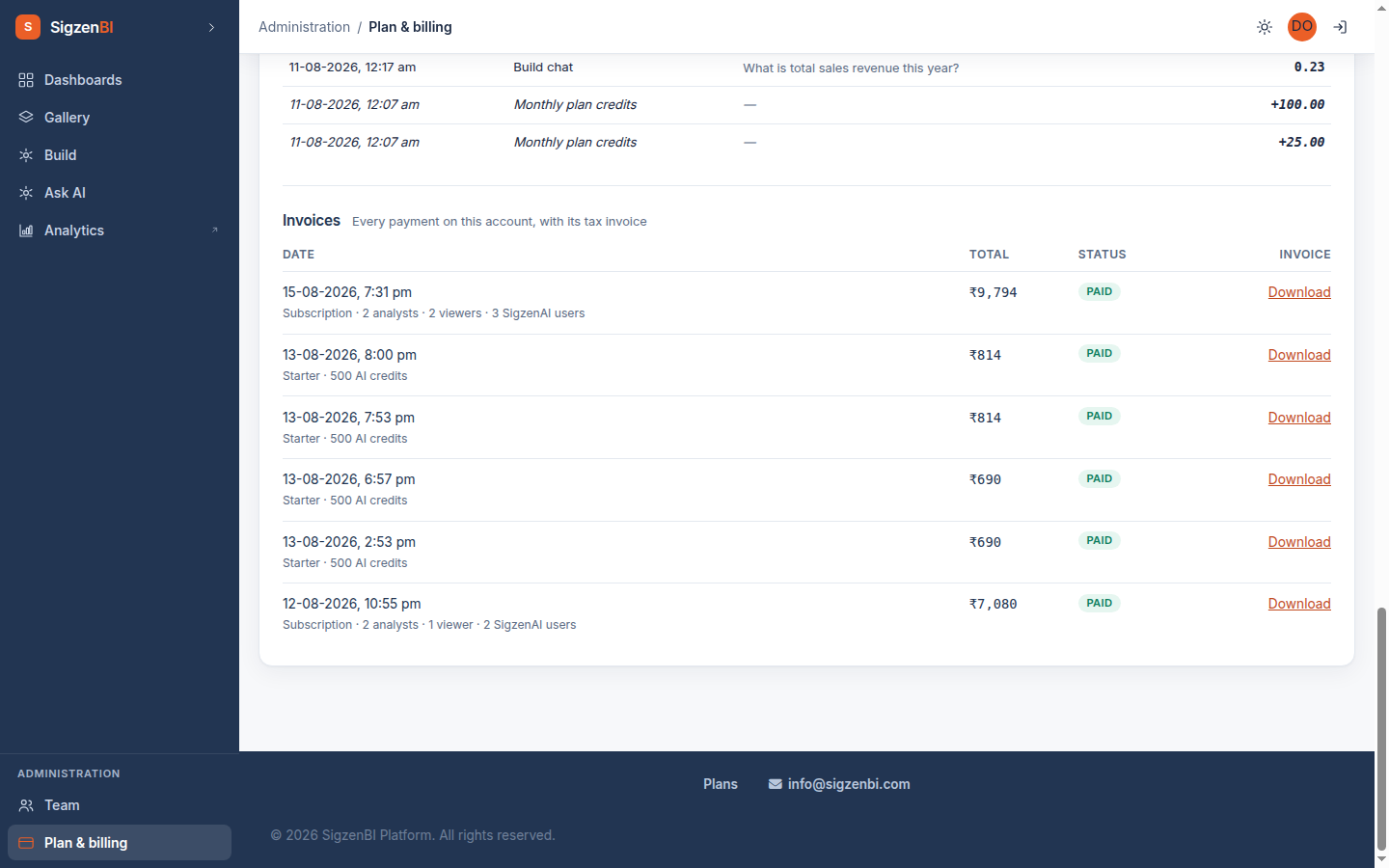
Every payment produces a GST tax invoice (PDF) — download it from the Invoices table on Billing. Add your GSTIN and billing address under Payment method → Billed to: your GSTIN determines the correct CGST/SGST vs IGST split on your invoices, so set it before your first payment.
Changing plans
- Add seats / upgrade — any time; pay the quoted difference and it applies immediately.
- Downgrade — schedule it any time; it takes effect at the end of your paid period (no mid-cycle charge). Your assigned seats are the floor — unassign people first if you're reducing below what's in use.
If your subscription lapses
Dashboards and chat stop working; Billing and Team stay open so you can renew. Your data and configuration are kept for at least 60 days, and may be removed after that. We never charge you automatically.